Skip to content
Updated November 2026

Best Medical Alert Systems of 2026

Aly Garwood
by Aly Garwood, AARP Smart Picks
Updated on November 17, 2026
Medically Reviewed by Danielle Ongondo, Ph.D.

Products and services featured here are independently researched and tested. AARP may earn commissions from affiliate links, which support our mission and do not influence our objective reviews. Brand references do not imply endorsement by AARP. Consumer Cellular offers AARP members a discount and pays AARP a royalty for the use of AARP intellectual property, but that relationship is independent and does not influence any review. Learn more about how we test.

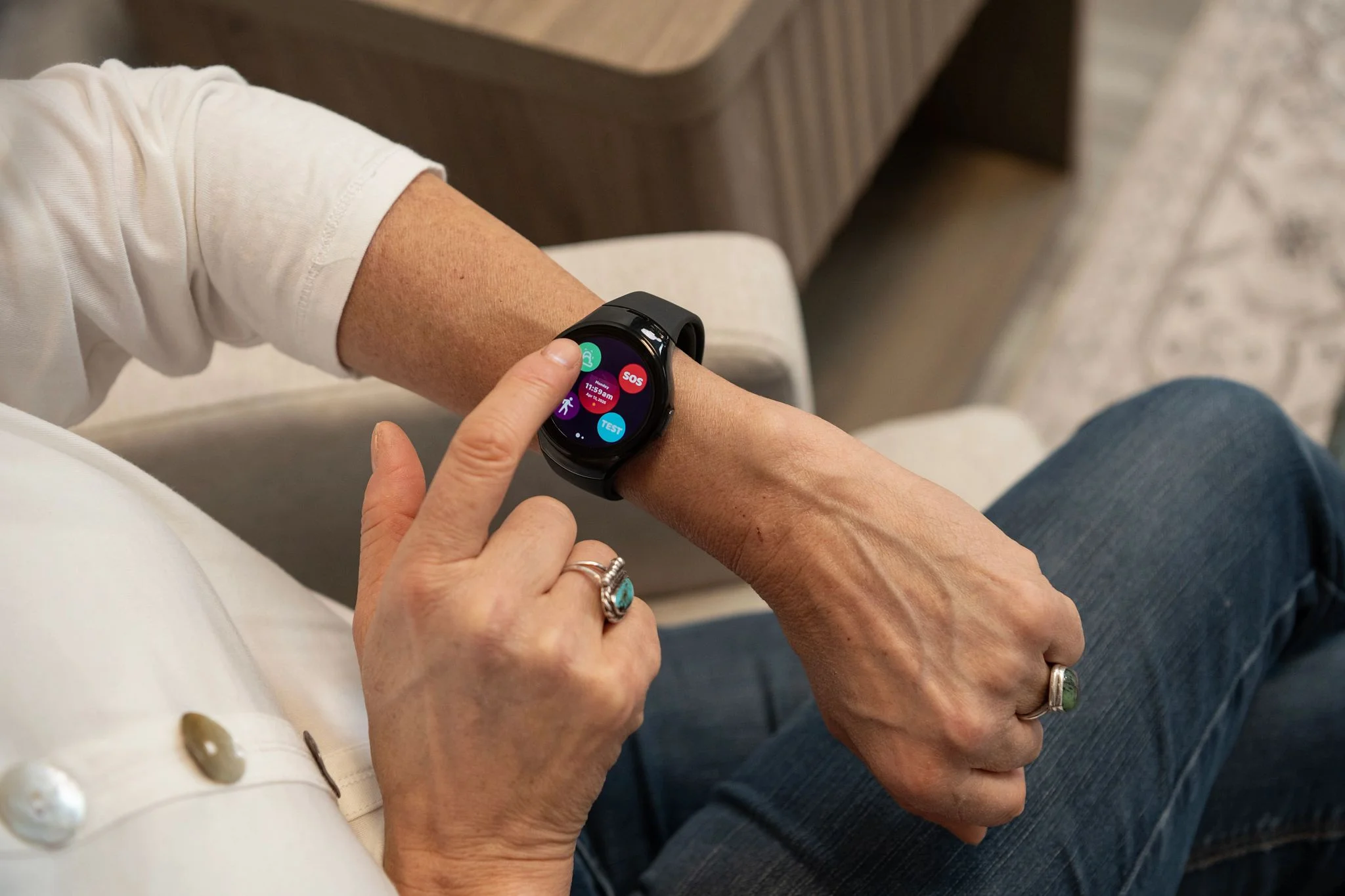
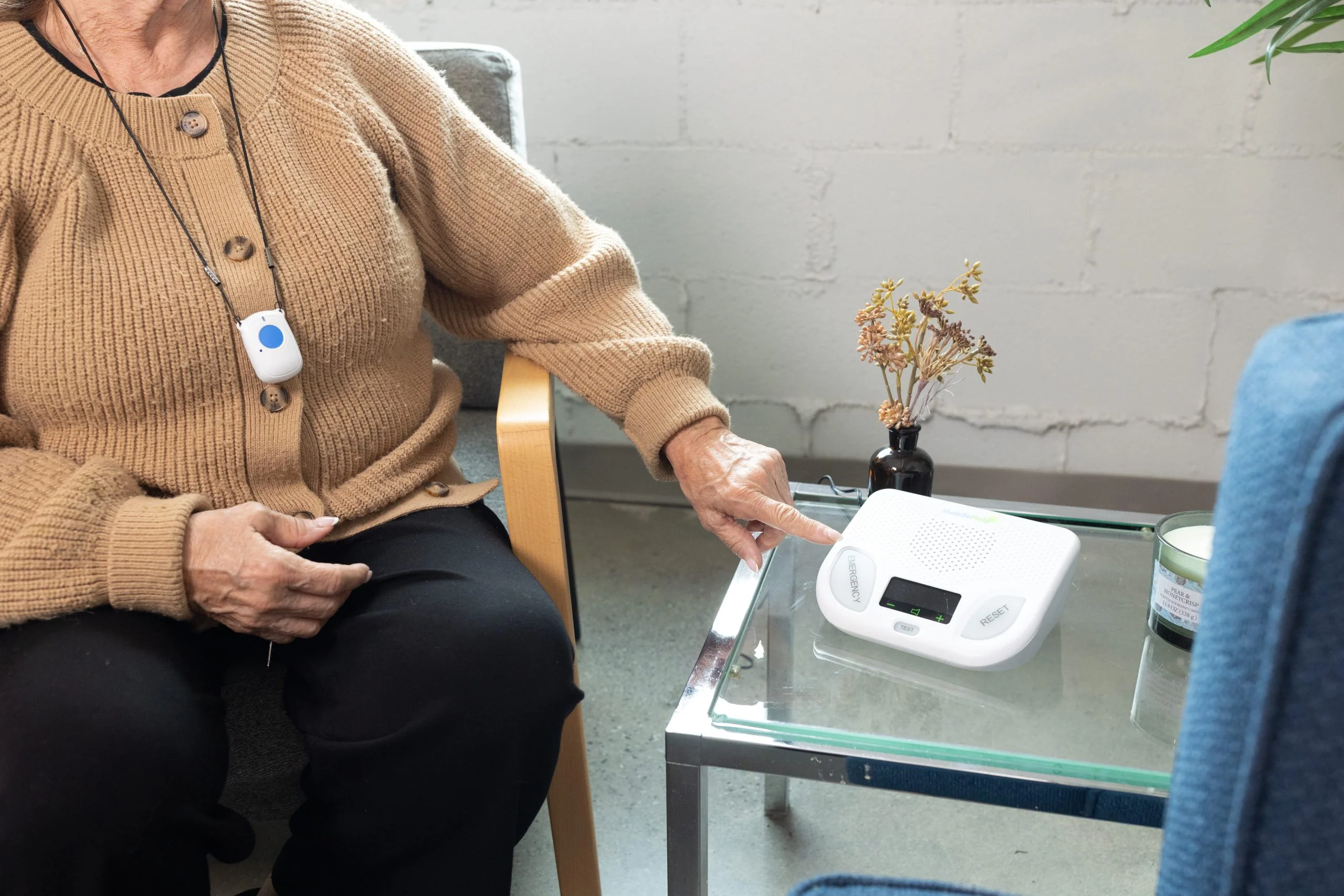
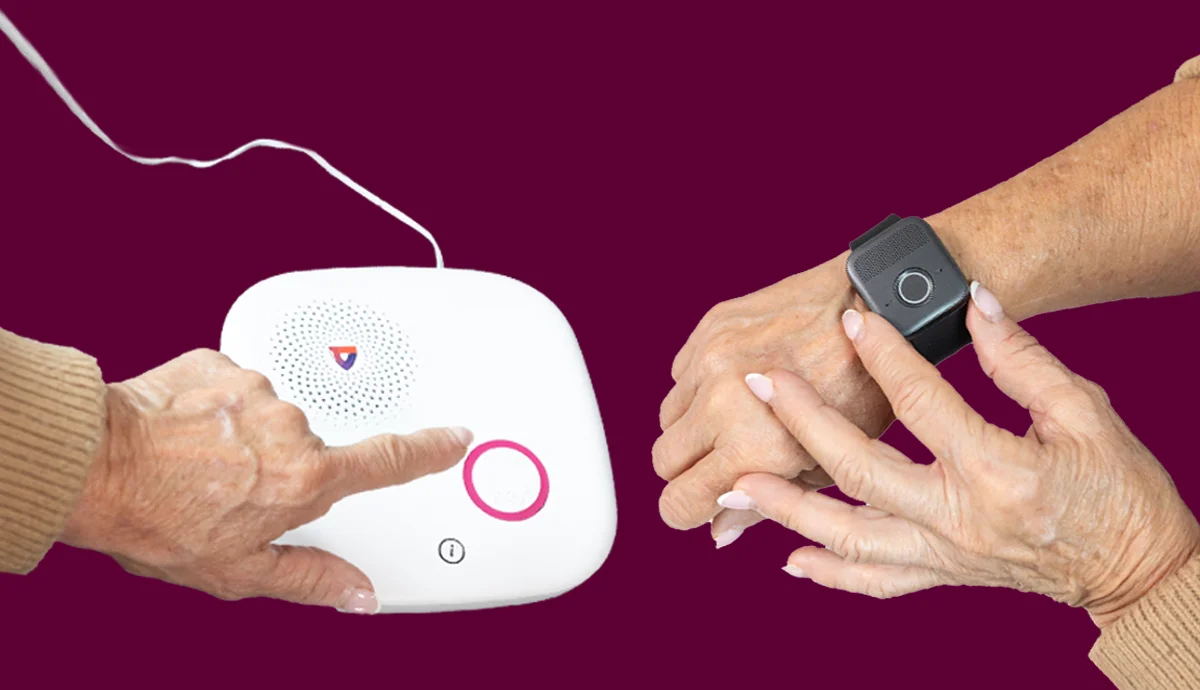
Tester presses button on Medical Guardian home device and watch
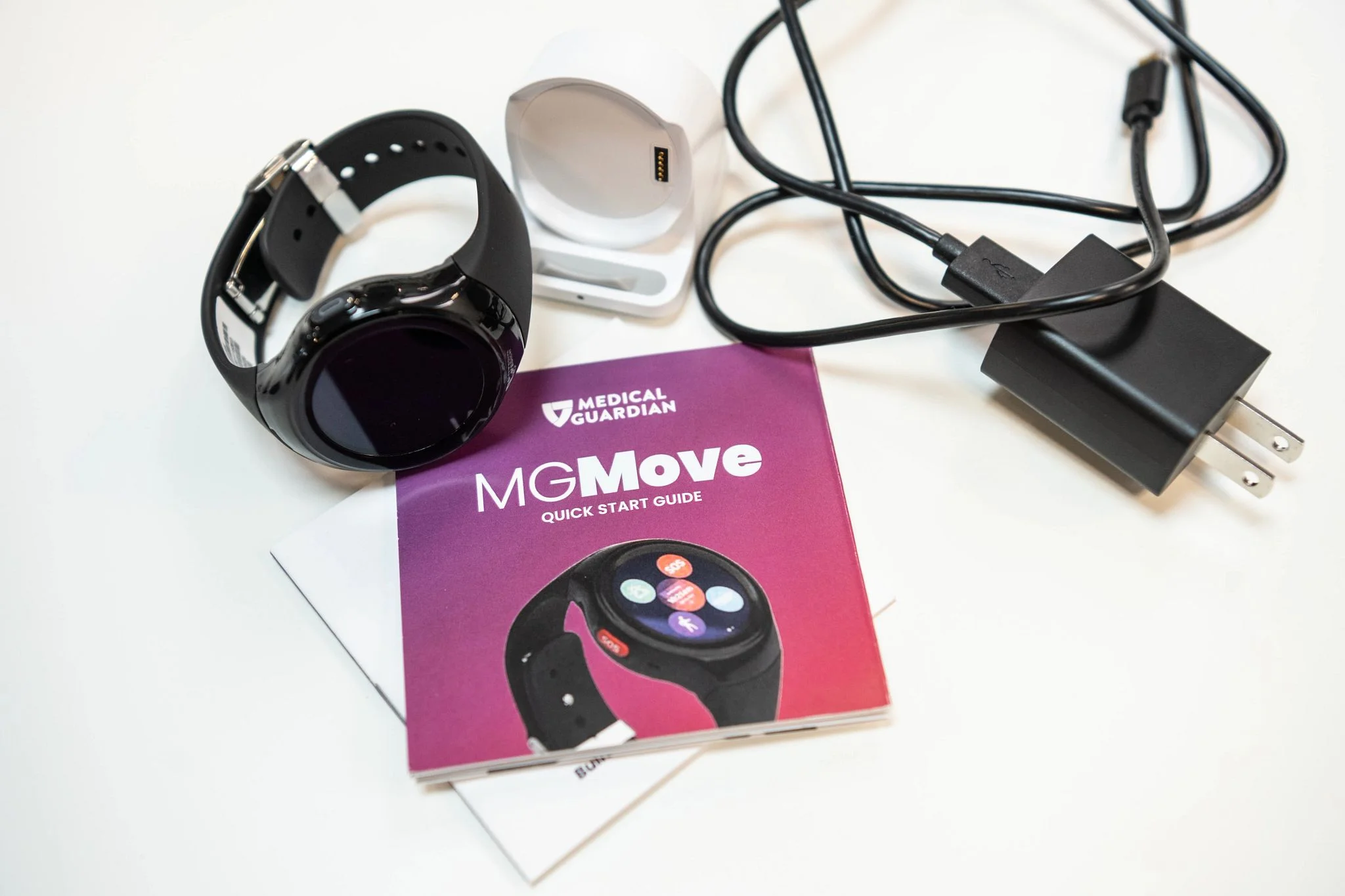
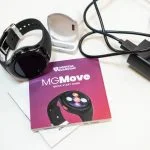
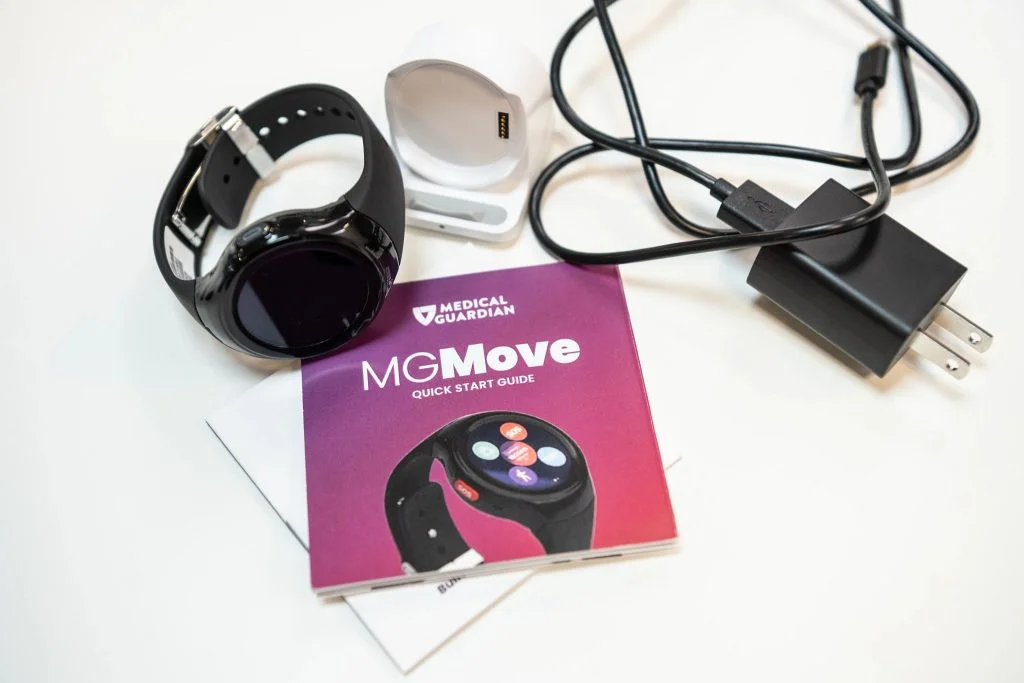
Medical Guardian MGMove unboxed on a white table
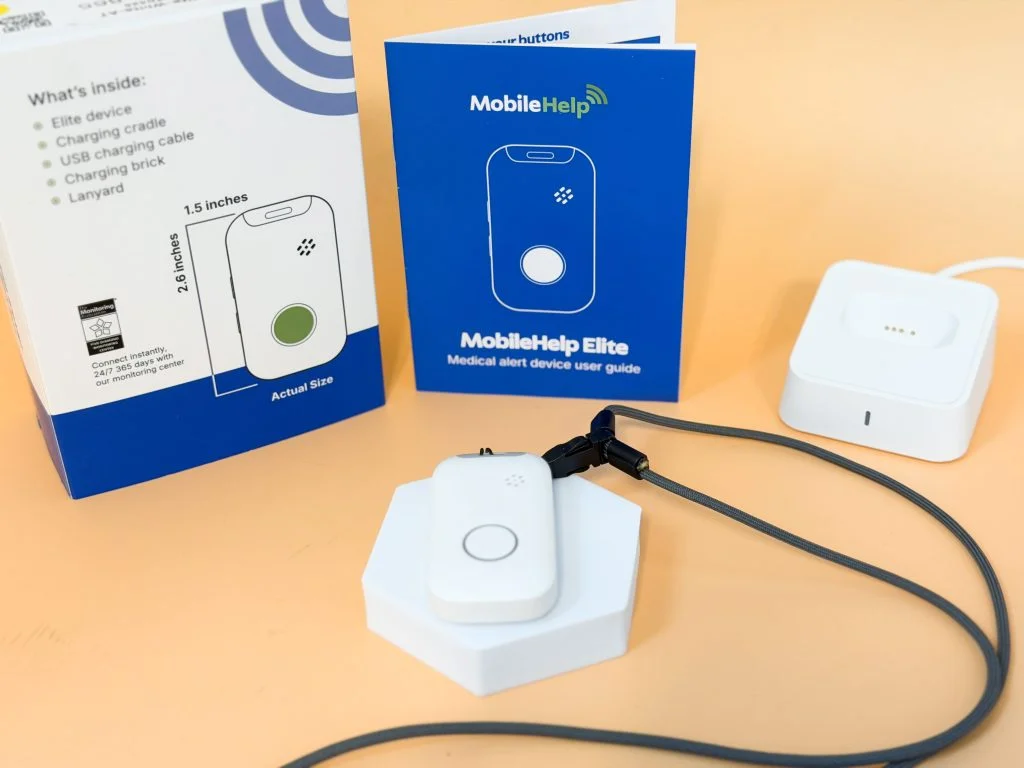
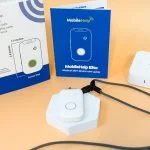
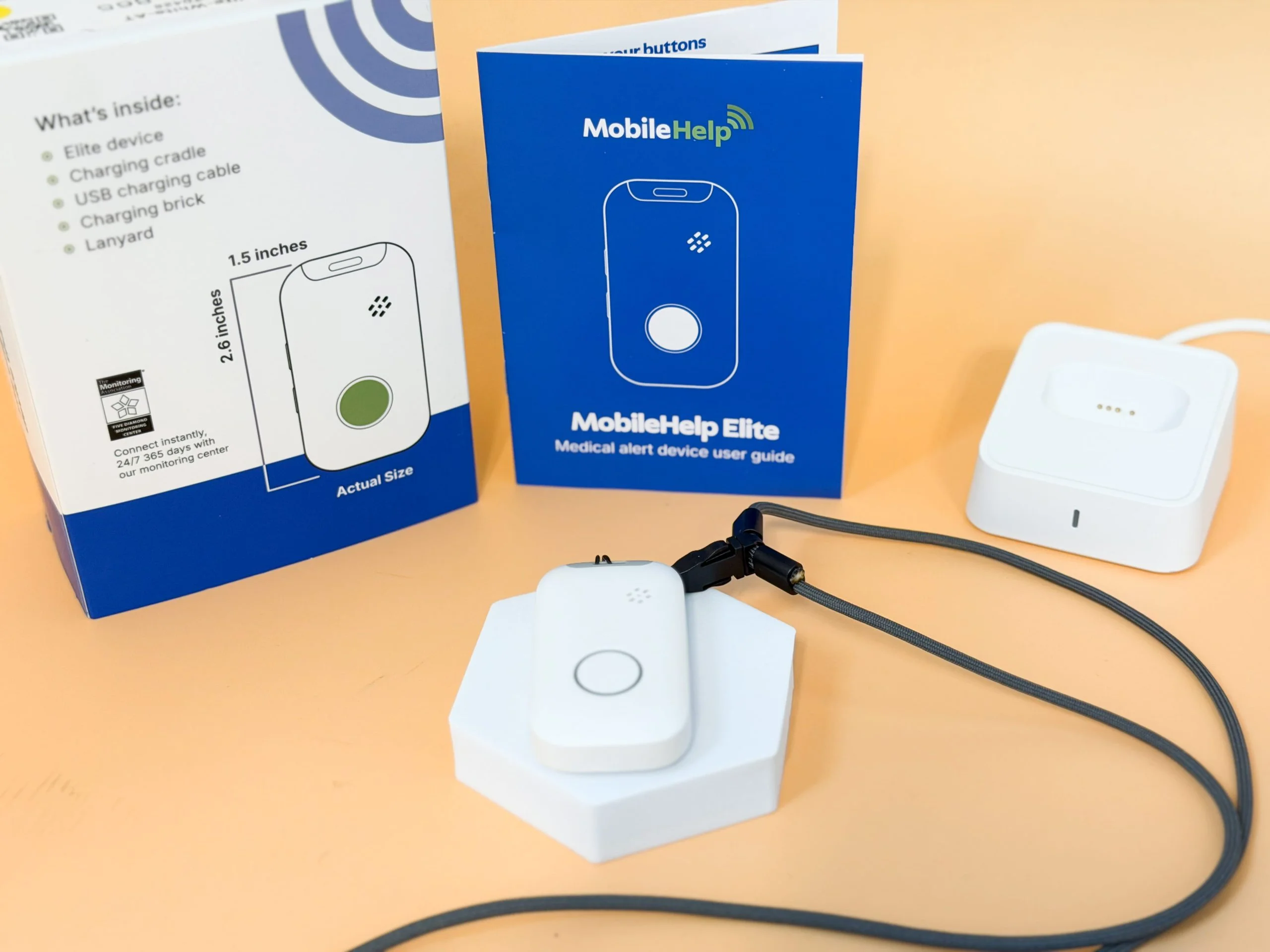
The MobileHelp Elite medical alert device displayed in front of the charging dock and packaging
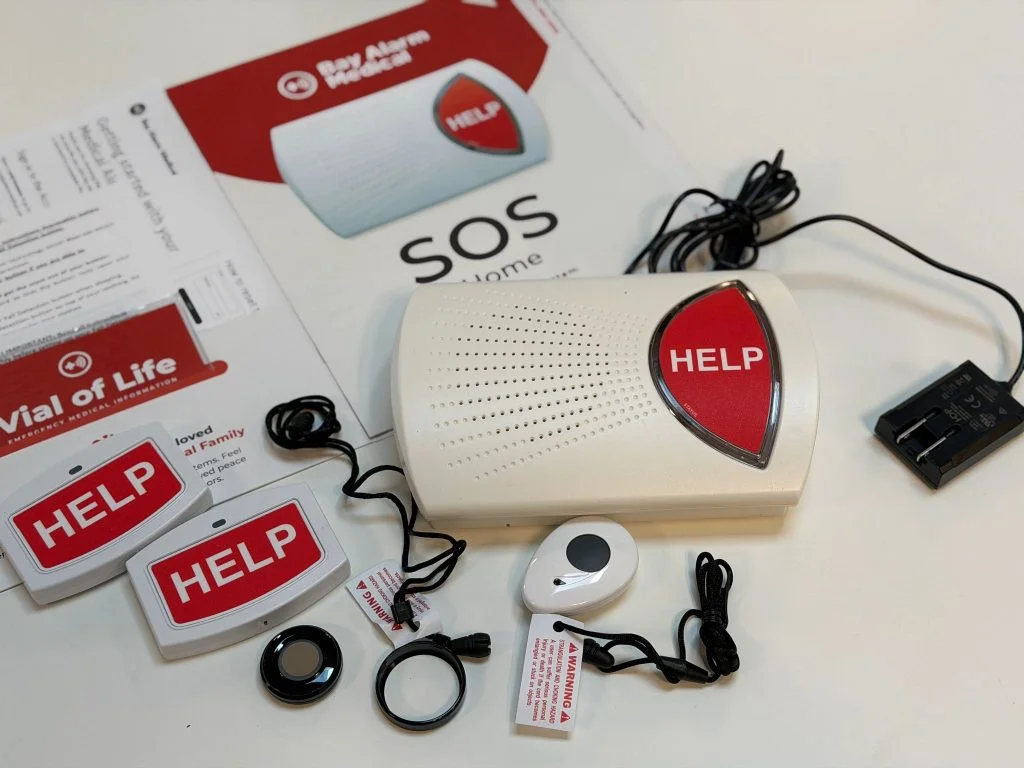
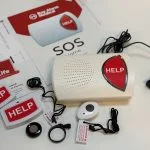
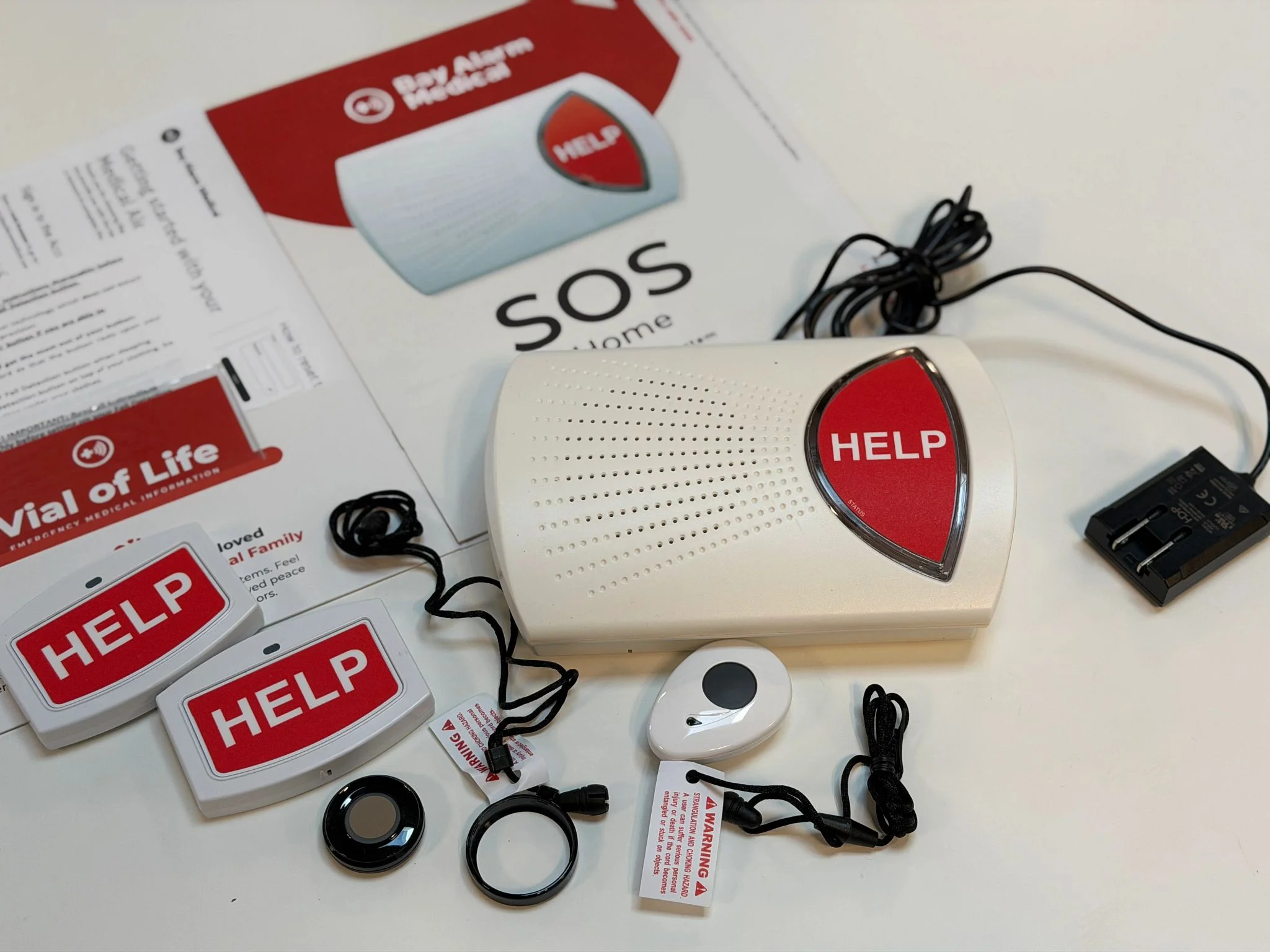
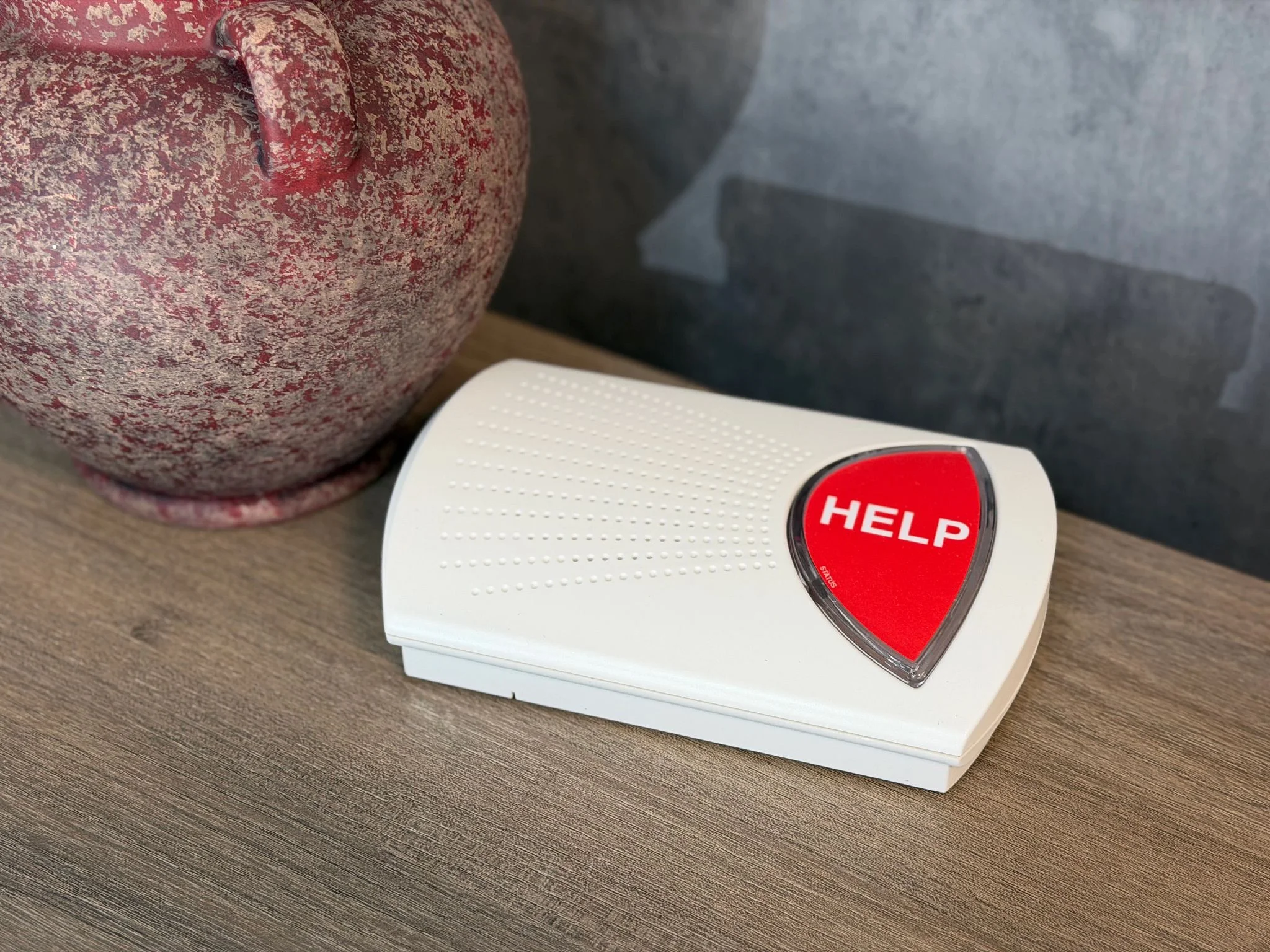
The Bay Alarm Medical SOS Home device next to the manual and accessories on a white table.
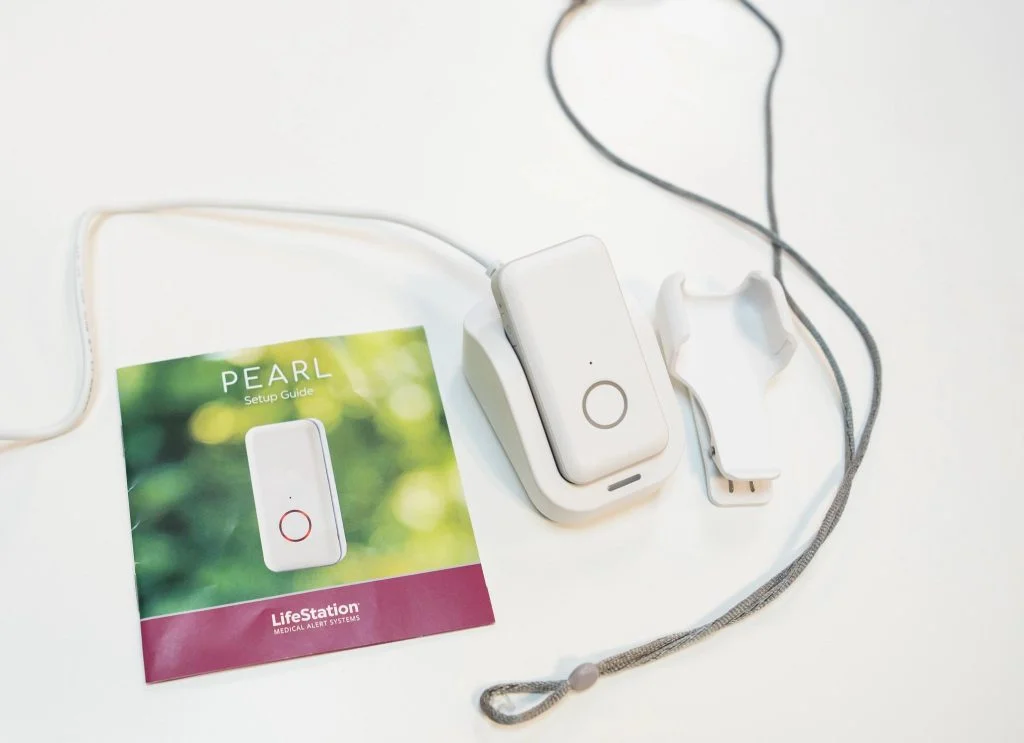
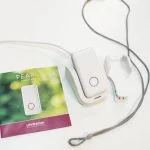
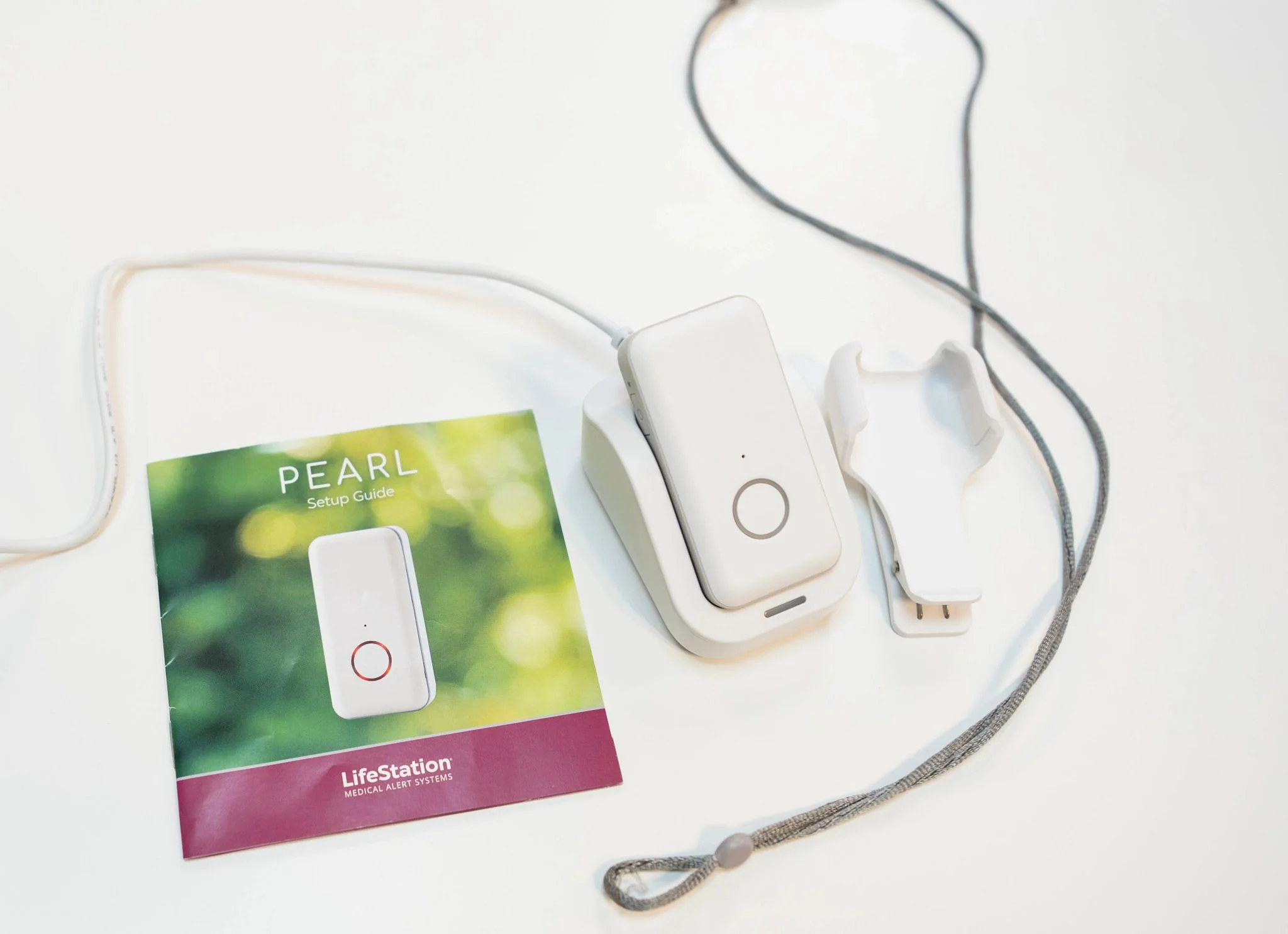
The LifeStation Pearl pendant device on a white table next to the manual and belt clip.
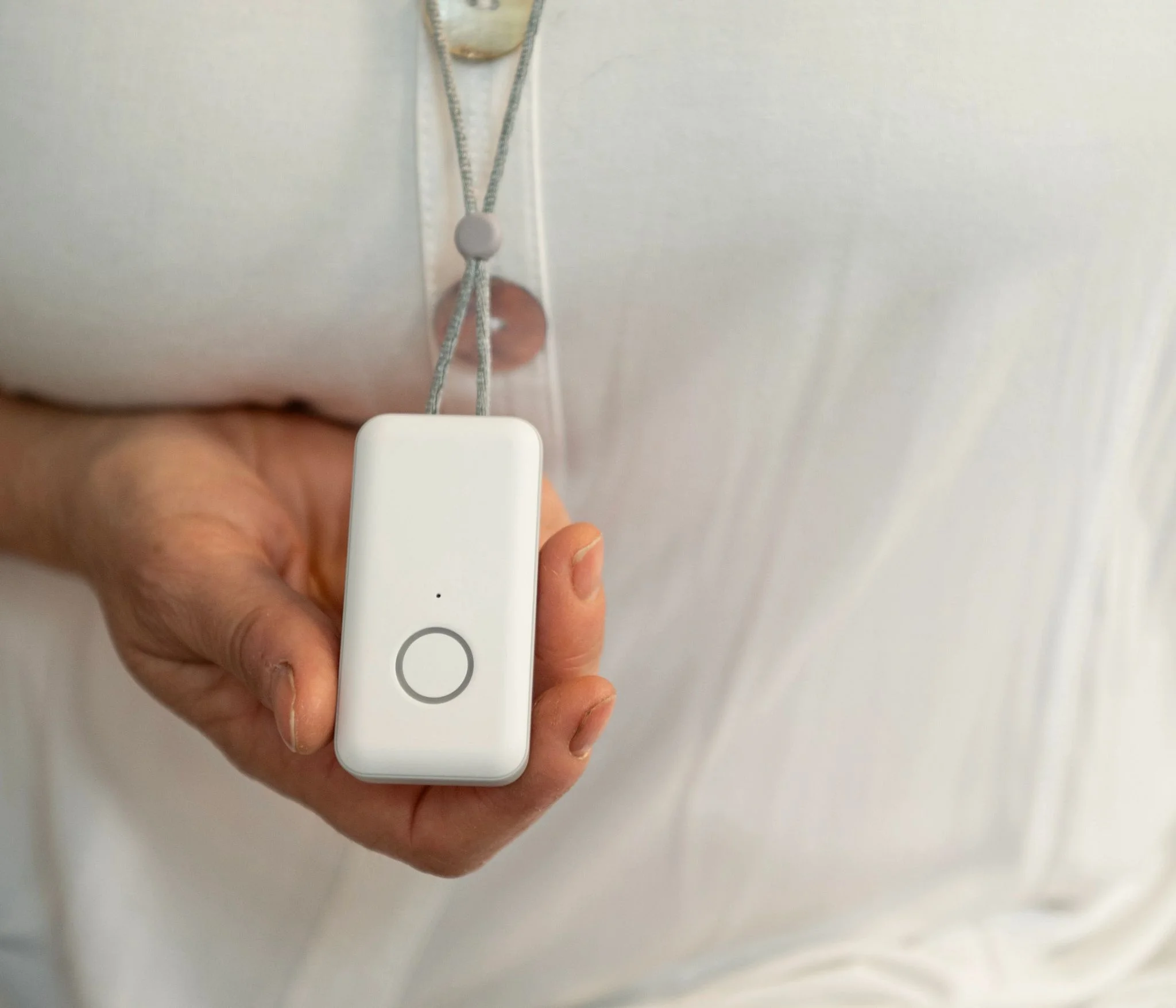
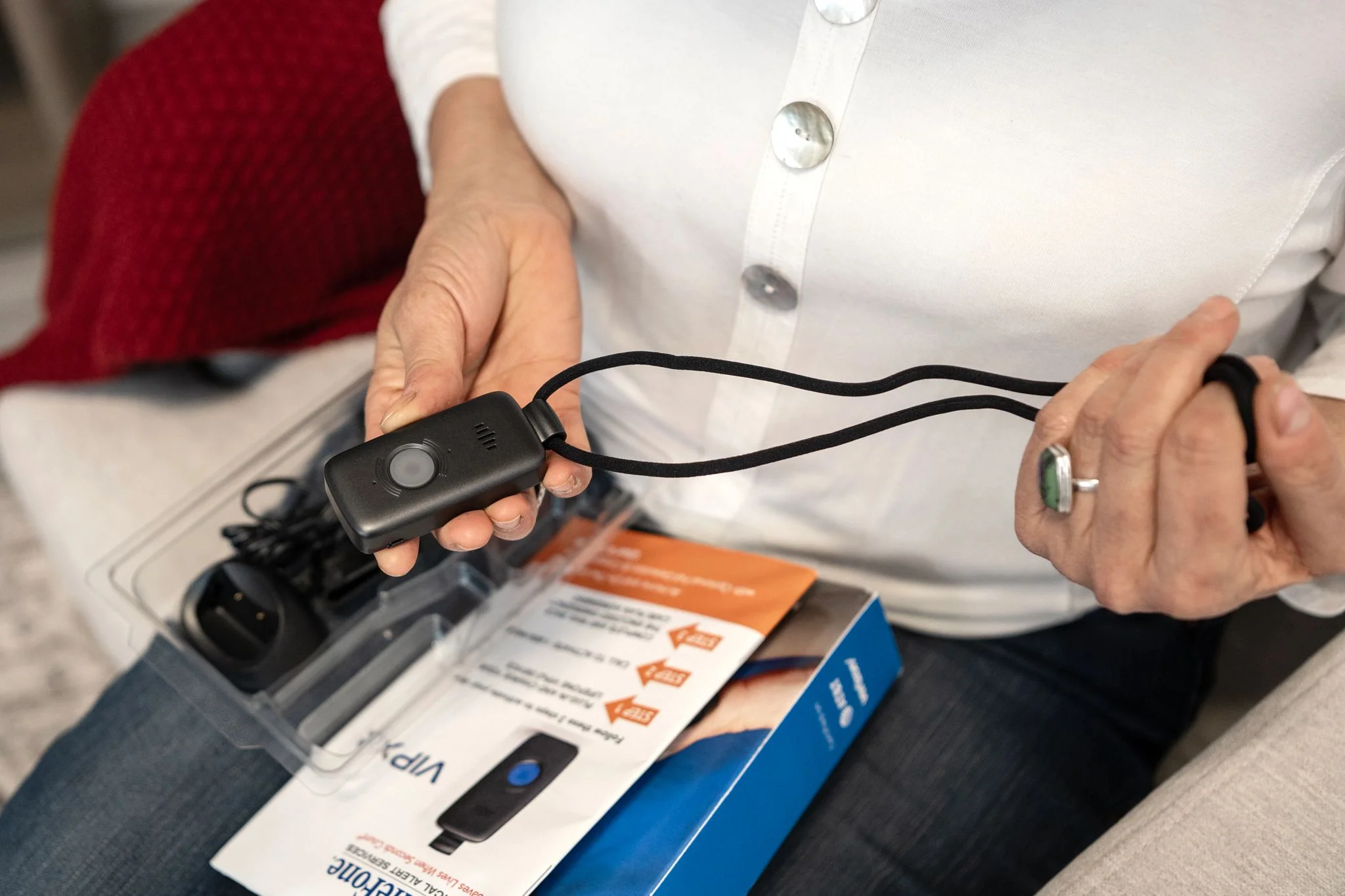
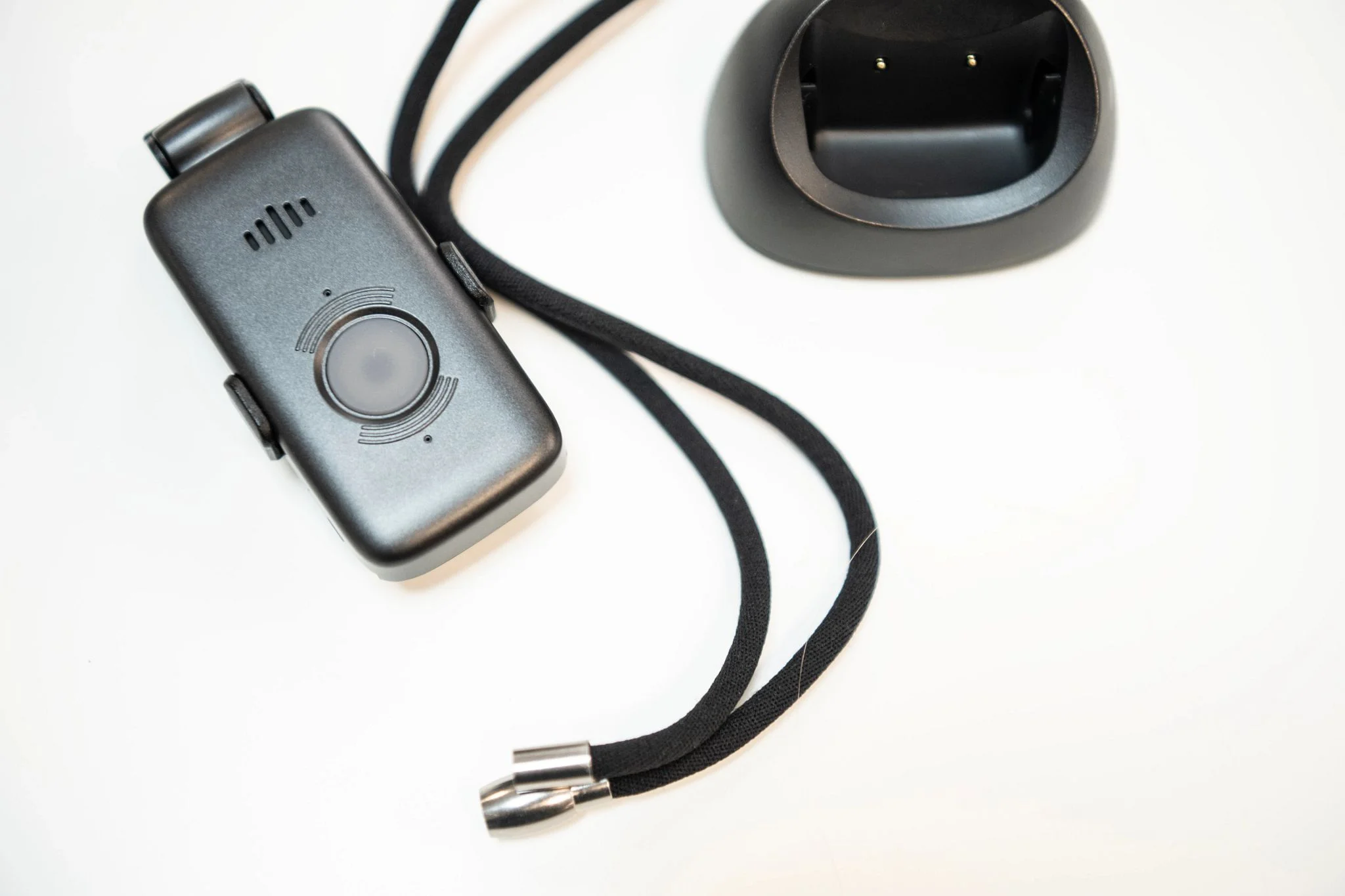
The Lifefone VIPx2 device on a white table next to the lanyard and charging dock.
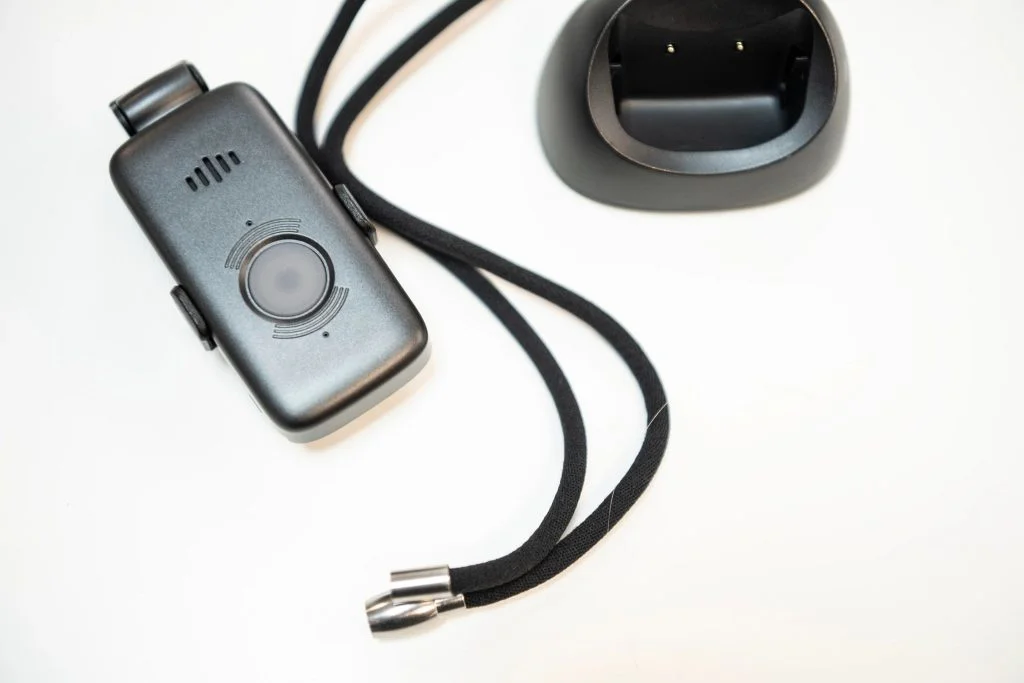
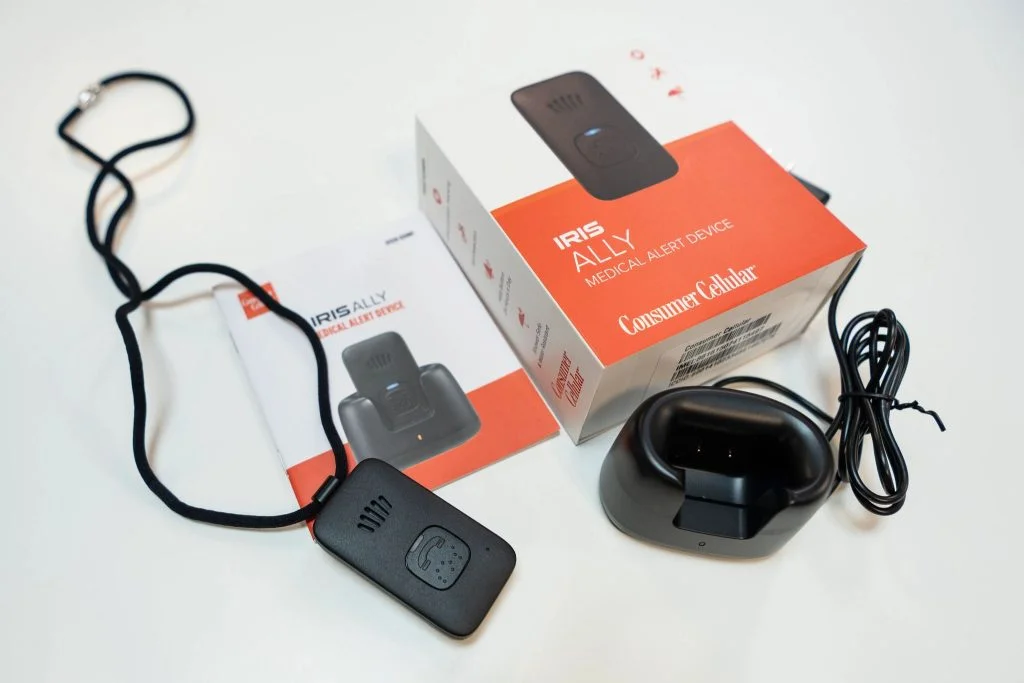
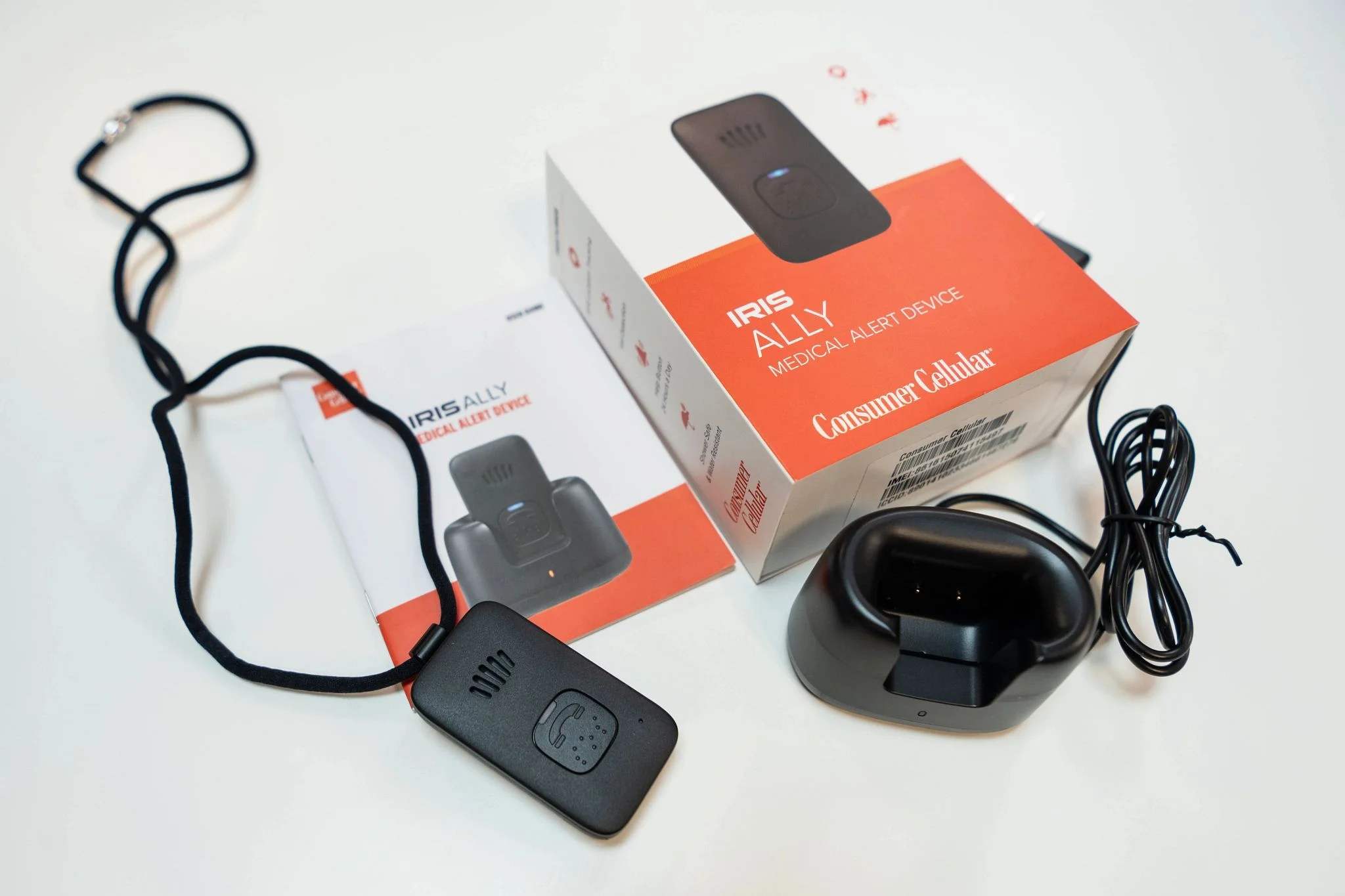
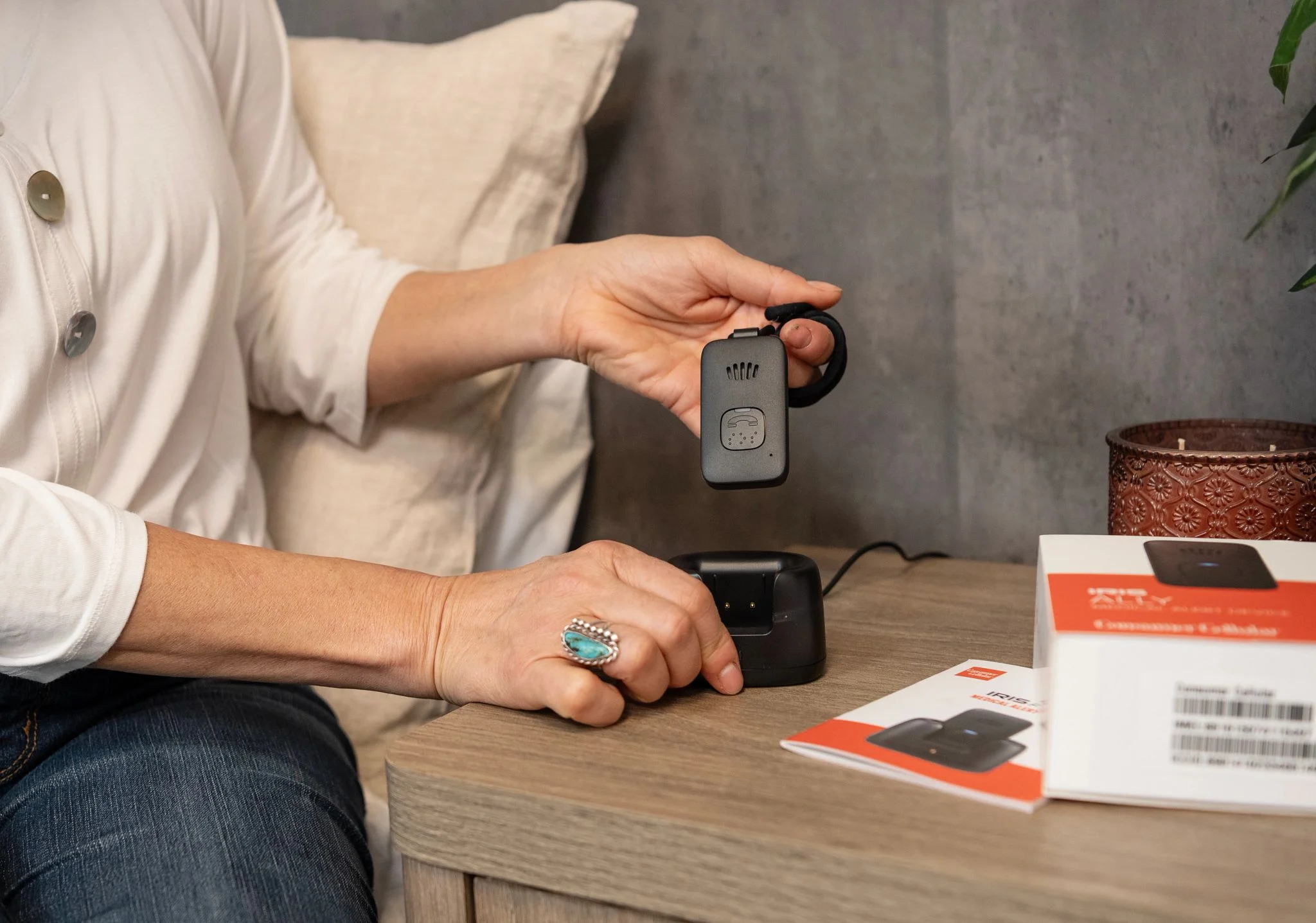
The IRIS Ally medical alert system on a table next to the charging port, manual and packaging
AARP LeadImages May2026 BestMedicalAlertSystem
aarp smart picks mgmove product 051526
Original MobileHelpElite 092426 1
Original BayAlarmHomeProduct 050626
aarp smart picks lifestation product 051326
Original LifefoneVx2PProduct 050626
Original IrisAllyProduct 082026

The Best Medical Alert Systems

  • Medical Guardian – Best Overall
  • MobileHelp – Best Value
  • Bay Alarm Medical – Best Customer Support
  • LifeStation – Best GPS Accuracy
  • LifeFone – Best Necklace
  • IRIS Ally – Best Mobile-Only
Best Overall
AARP Score
We rate each medical alert system on a scale from 1 to 10 to reflect its overall quality. This number is comprised of individual scores from hands-on testing of fall detection, call connection speed, audio clarity, operator professionalism, GPS location tracking, and more.
9.9
Medical Guardian
Medical Guardian
Medical Guardian
Medical Guardian
Medical Guardian

Offers fast emergency response times, GPS, and a feature-rich caregiver app
Special Offer
Free equipment on Guardian Flex with code: SAVEMORE See Details
Check Price
(800) 908-4350
  • Automatic fall detection monthly cost: $10
  • Maximum at-home device range: 1,400 feet
  • GPS tracking: Yes, for wearable devices
Pros
Fast response times
Top-notch GPS performance
Advanced caregiver app
Cons
Calls through smartwatch are sometimes hard to hear
Pricey

Quick connection to the monitoring center

When we assessed three Medical Guardian devices for call-time connection, all passed. Worried about pressing the button accidentally? You can cancel the call within a 20-second window after pressing the button.

Accurate GPS tracking

The MGMove smartwatch and Guardian Flex passed our GPS tracking test with flying colors. Medical Guardian’s agents correctly identified our address at all three locations: a suburban grocery store, a hardware store and the cell phone lot of an international airport. This company also has an advanced app, which shows users' historical and real-time location data, as well as medication reminders, device battery level and daily step totals.

Varying audio clarity

Donna, a 60-year-old tester, said it was sometimes hard to hear through the two-way speaker of the MGMove smartwatch. “The agent sounded a tiny bit garbled, and at times they struggled to hear me, too,” she said, giving it an adequate score for audio clarity.

Best Value
AARP Score
We rate each medical alert system on a scale from 1 to 10 to reflect its overall quality. This number is comprised of individual scores from hands-on testing of fall detection, call connection speed, audio clarity, operator professionalism, GPS location tracking, and more.
9.9
MobileHelp
MobileHelp
MobileHelp
MobileHelp
MobileHelp

Waives equipment and activation fees, with highly professional operators and near-perfect fall detection
National Caregivers Month Sale
Elite for only $35 per month with FREE automatic fall detection using code: FALLFREE See Details
Check Price
(800) 810-9698
  • Automatic fall detection monthly cost: $10
  • Maximum at-home device range: 1,400 feet
  • GPS tracking: Yes
Pros
Low-priced (No activation equipment fees)
Standout score for monitoring center professionalism
Accurate fall detection
Cons
Bulky pendant
Slightly muffled sound from pendant’s two-way speaker

Low upfront cost

MobileHelp is our pick for the best value medical alert system because of its high performance and likely lower initial cost. The monthly prices start around $29.95 for an at-home device and $41.95 for a mobile device. While these aren’t the lowest, you may end up saving money since MobileHelp doesn’t charge the sometimes-hefty equipment or activation fees that other companies might.

Almost-perfect fall detection

Both MobileHelp devices we tested, the Classic Home and Elite, performed well in our fall detection testing. The Classic Home detected 10 of 12 falls, while the Elite registered all 12.

Devices look bulky

Tester Gerianne said the MobileHelp Elite isn’t the most discreet product. “It’s one of the larger pendant devices I have tested,” she said, adding that it’s a little less noticeable when worn as a belt clip. Gerianne also said the sound from the Elite’s two-way speakers was “a little muffled and lower in tone.”

Best Customer Support
AARP Score
We rate each medical alert system on a scale from 1 to 10 to reflect its overall quality. This number is comprised of individual scores from hands-on testing of fall detection, call connection speed, audio clarity, operator professionalism, GPS location tracking, and more.
9.8
Bay Alarm Medical
Bay Alarm Medical
Bay Alarm Medical
Bay Alarm Medical
Bay Alarm Medical
Bay Alarm Medical
Bay Alarm Medical

Excellent customer support and an easy setup
Black Friday Sale
Up to 50 percent off + free shipping & one free month on select plans See Details
Check Price
(833) 819-3923
  • Automatic fall detection monthly cost: $10
  • Maximum at-home device range: 1,000 feet
  • GPS tracking: Yes
Pros
High-scoring customer support
Easy setup
High-scoring overall for at-home device
Cons
Some wearables look like medical devices
Lower range for at-home devices

Attentive, knowledgeable customer support

Bay Alarm Medical earned the highest overall customer support rating. After calling the company’s customer support line, our lab tester reported that the representative was patient, attentive and thorough in his responses. There are several ways to get in touch with customer support, including phone, email, postal mail and an online sales inquiry form.

Straightforward setup, with standout performance for the at-home device

Testers Donna and Will said all four devices were easy to set up. “All I needed to do was plug it in,” he said. “It was all laid out for me in the welcome packet that came with the device.

Shorter at-home device range and bulky design

Bay Alarm Medical has the shortest at-home device range on this list at 1,000 feet. Devices from other companies we assessed have at-home ranges extending up to 1,400 feet. Another drawback: Testers said some of the company’s devices felt “bulky.”

Best GPS Accuracy
AARP Score
We rate each medical alert system on a scale from 1 to 10 to reflect its overall quality. This number is comprised of individual scores from hands-on testing of fall detection, call connection speed, audio clarity, operator professionalism, GPS location tracking, and more.
9.3
LifeStation
LifeStation
LifeStation
LifeStation
LifeStation

Pinpoints your location down to the apartment number, with perfect automatic fall detection
Fall Special
Up to $100 in savings with no upfront fees on annual plans See Details
Check Price
(866) 286-5118
  • Automatic fall detection monthly cost: $8 to $16
  • Maximum at-home device range: 1,300 feet
  • GPS tracking: Yes
Pros
One of the best GPS tracking performances in our testing
Perfect automatic fall detection
User-friendly design
Cons
No app
Caregiver features require integration with Amazon Alexa

Precise location tracking — down to the apartment number

All LifeStation devices we tested passed our GPS location assessment. “I wasn’t at home, and they still got my location correct in a slew of apartments with slightly different addresses,” tester Will said. Other monitoring centers usually couldn’t pinpoint our location down to the exact apartment number as LifeStation did.

Best fall detection on this list

The LifeStation Pearl earned a perfect score during our fall-detection assessment because it detected all 12 test falls. Not only did this device work as intended, but some testers said it was among the best-looking and most discreet they assessed.

No app for caregivers

LifeStation devices do not connect to a dedicated app. However, they integrate with the free Alexa app or an Alexa-integrated device (an additional cost), to provide features you’d usually find in an app. LifeStation also offers the Find My Loved One feature, which provides real-time location updates via text messages upon request.

Best Necklace
AARP Score
We rate each medical alert system on a scale from 1 to 10 to reflect its overall quality. This number is comprised of individual scores from hands-on testing of fall detection, call connection speed, audio clarity, operator professionalism, GPS location tracking, and more.
9.5
LifeFone
LifeFone
LifeFone
LifeFone
LifeFone

Pairs a discreet, comfortable necklace design with an 18-day battery life and straightforward setup
Special Offer
Free month of service + free shipping See Details
Check Price
(844) 735-2865
  • Automatic fall detection monthly cost: $5
  • Maximum at-home device range: 1,300 feet
  • GPS tracking: Yes
Pros
Comfortable mobile necklace with 18-day battery life
Simple setup
Professional and helpful operators
Cons
Magnetic clasp can easily come undone
Necklace length not adjustable

Discreet necklace with long battery life

The VIPx2, one of LifeFone’s necklace mobile devices, garnered almost-perfect scores for discretion and comfort. “This necklace is easy to put on and remove. It has a foam string and feels light,” Donna said. Notably, this necklace doesn’t require daily charging, since it has a battery that lasts up to 18 days, per charge.

User-friendly

Testers gave all five LifeFone mobile devices stellar setup scores. Another plus: Both testers gave LifeFone operators first-rate scores for professionalism and tone. “They handled my calls confidently and confirmed my location accurately,” Donna said, adding that their tone was calm and the interaction felt reassuring.

The magnetic necklace closure comes apart easily

The VIPx2 has a magnetic clasp, which could make it easier to pull apart if it were to get snagged on something like a door, chair or someone’s clothes. A magnetic clasp could be a helpful feature for an older adult with dexterity limitations, but a drawback is it could be more likely to fall off.

Best Mobile-Only
AARP Score
We rate each medical alert system on a scale from 1 to 10 to reflect its overall quality. This number is comprised of individual scores from hands-on testing of fall detection, call connection speed, audio clarity, operator professionalism, GPS location tracking, and more.
9.4
IRIS Ally
IRIS Ally
IRIS Ally
IRIS Ally
IRIS Ally

A mobile-only device that's easy to set up and charge, with automatic fall detection included at no extra cost

Check Price
  • Automatic fall detection monthly cost: Free
  • Maximum at-home device range: None
  • GPS tracking: Yes
Pros
Simple setup and charging
Positive interactions with the monitoring center
No added fee for automatic fall detection
Cons
No at-home device option
No companion app available

Easy setup and charging

The IRIS Ally is a GPS-enabled mobile device from cell phone provider Consumer Cellular. Tester Donna said that setting up the IRIS Ally was “super easy” because the manual is “easy to read, concise and has good photos.” And in Donna’s first call, the operator took the time to confirm important details such as the presence of call boxes (places to store spare keys for emergency personnel to enter the home), any special instructions and sound clarity.

Free automatic fall detection

One of the biggest benefits of IRIS Ally is that automatic fall detection is available at no extra cost — it’s included with the $25 per month service subscription. All other options on this list charge an extra monthly fee — from $5 to $16 — for this feature, in addition to varying monthly monitoring fees.

Mobile-only with no caregiver app

If you’re looking for a full medical alert system that includes both a mobile device while you’re out and about and an at-home device, then this company may not be for you. This is a mobile-only device and doesn’t come with a dedicated companion app to help caregivers stay connected.

How we test the best medical alert systems

We begin testing medical alert systems by researching the market. Which products are popular and why? Who has the best reviews — and are the reviews legitimate?

To thoroughly evaluate the medical alert systems, we recruit adults ages 60 and older to test each company’s devices. We purchase each device for our testers and they share their unbiased feedback on how the devices look, how professional the operators are and how confident the testers would feel if relying on these devices during an emergency. We also ask testers to rank how easy it is to set up and charge a device.

In addition, we perform a series of lab-controlled tests assessing the following criteria, which survey respondents, focus group participants and subject matter experts told us were most important:

  • Automatic fall detection
  • Call connection speed
  • Audio clarity
  • Operator professionalism
  • GPS location tracking

How to choose the best medical alert system

There are lots of options, and it can be hard to know how to start your search for a medical alert device.

Beyond reliability, the best medical alert system is ultimately the one you or your loved one will wear regularly, says Brandy Archie, a doctor of occupational therapy in Kansas City, Missouri. If you’re a caregiver who is shopping for a loved one but aren’t sure how to approach the subject, Archie says to “lead with love, not fear.” Instead of saying, “I’m worried you’re going to fall,” she suggests explaining that the device is an independence technology that may help keep them in their home longer.

She also recommends making sure your loved one is involved in the process. “In my experience, the conversation goes much better when the older adult gets to choose the company, the color and the style,” Archie says.

Focus group participants echoed this approach. Several participants who care for older adult parents or other family members said their loved ones were initially resistant to a medical alert system, but involving their loved ones in the decision helped them warm up to the idea. Participants also shared that their loved ones were more receptive when they framed the device as a way to stay safer and live at home longer. Participants said they would encourage other caregivers to be patient, saying it took their loved ones about three months to get more comfortable with their devices.

Here is some additional information and advice that can help you choose the right medical alert system for you or your loved one.

Types of medical alert systems

At-home devices

At-home devices

At-home devices include a base unit with a two-way speaker that syncs to a wearable call button. The base unit is mounted on the wall or placed on a table, and has a maximum range within which the button will connect to the base unit. Typically, this range is between 800 and 1,400 feet — about the length of two to four football fields. If you’re outside of that range, pushing the button won’t connect you to the monitoring center. At-home devices use either a landline or cellular connection — the same connection your smartphone uses — to connect to the monitoring center.

At-home devices

At-home devices

At-home devices include a base unit with a two-way speaker that syncs to a wearable call button. The base unit is mounted on the wall or placed on a table, and has a maximum range within which the button will connect to the base unit. Typically, this range is between 800 and 1,400 feet — about the length of two to four football fields. If you’re outside of that range, pushing the button won’t connect you to the monitoring center. At-home devices use either a landline or cellular connection — the same connection your smartphone uses — to connect to the monitoring center.

GPS-enabled mobile devices

GPS-enabled mobile devices

GPS-enabled mobile devices have no set range. You can connect to the monitoring center anywhere as long as you have cellular connectivity. Companies often give you the option to wear these devices as a pendant, a wristband or on your belt. Mobile devices generally use the AT&T or Verizon cellular networks for connection, but you don’t need to be an AT&T or Verizon customer. If you’re considering a mobile device, it’s a good idea to check which network the company uses and verify you have reliable service in your area with that provider. You can check the AT&T and Verizon coverage maps to see if your area has good service.

GPS-enabled mobile devices

GPS-enabled mobile devices

GPS-enabled mobile devices have no set range. You can connect to the monitoring center anywhere as long as you have cellular connectivity. Companies often give you the option to wear these devices as a pendant, a wristband or on your belt. Mobile devices generally use the AT&T or Verizon cellular networks for connection, but you don’t need to be an AT&T or Verizon customer. If you’re considering a mobile device, it’s a good idea to check which network the company uses and verify you have reliable service in your area with that provider. You can check the AT&T and Verizon coverage maps to see if your area has good service.

GPS-enabled smartwatches

GPS-enabled smartwatches

GPS-enabled smartwatches have touchscreens and look very similar to an Apple Watch. Archie says many of the older adults she works with wear medical alert smartwatches more consistently than other medical alert devices because they look like a typical watch rather than a medical device.

GPS-enabled smartwatches

GPS-enabled smartwatches

GPS-enabled smartwatches have touchscreens and look very similar to an Apple Watch. Archie says many of the older adults she works with wear medical alert smartwatches more consistently than other medical alert devices because they look like a typical watch rather than a medical device.

Automatic fall detection

Many medical alert devices offer automatic fall detection for an extra fee, usually about $10 per month, but it varies by company. Fall detection technology uses sensors to analyze movement and determine whether someone has fallen — even if they haven’t pressed the help button. When the sensors detect a fall, the device automatically contacts the company’s response center. If you don’t respond to prompts through the device’s two-way speaker, the monitoring center agent then dispatches emergency services personnel to your location.

In our April 2026 survey of 300 adults who had purchased a medical alert system for themselves or someone they care for, automatic fall detection was the third most important factor for respondents when buying a device, behind fast response time and accuracy. Almost three-quarters (72 percent) of respondents also said the fall detection on their device worked as it should. And 29 percent of those respondents said automatic fall detection had helped them during a fall.

That said, automatic fall detection is not 100 percent accurate, and it’s not a necessary add-on for everyone, says Nicole Brackett, a licensed practical nurse and director of quality and care delivery at Homewatch CareGivers in Denver. So she recommends that caregivers have a conversation with their loved one first about whether they want this feature, especially if they have a risk of falling. And if you’re shopping for a medical alert system for yourself, consider whether automatic fall detection is an add-on you’d need or a feature you can skip to save money.

GPS location tracking 

The ability to pinpoint a user’s location via GPS tracking can help caregivers feel more comfortable and help users feel more independent. 

Mobile medical alert systems are equipped with this tracking ability, and all the companies on this list passed our GPS location tests, during which our lab team traveled to three different places and asked the monitoring center to confirm their locations. 

Users can typically access GPS functionality on mobile devices. But these systems can vary in how caregivers access GPS locations for their loved ones. Typically, companies offer a mobile app you can log in to for real-time tracking. And while some companies, such as LifeStation, don’t have an app, they may let you text a designated number to receive your loved one’s location.

Battery life

A longer battery life can give users and caregivers peace of mind that a device can still function in the short term if you forget to charge it. 

Medical alert smartwatches tend to have the shortest battery life and require daily charging. Their batteries usually last up to 48 hours. Meanwhile, at-home devices have a base unit you plug into a wall outlet, are often powered by electricity and typically come with backup power that lasts for a set time in the case of an outage (usually over 30 hours, based on devices we tested). Necklaces or pendants that sometimes accompany these at-home devices often don’t require charging and last for several years. 

Most devices will indicate when they need to be charged. For example, the Medical Guardian MGMove smartwatch has a light that ranges from green to yellow to red to gauge battery life. 

If you or your loved one has difficulty remembering to charge the device or doesn’t want to charge it frequently, you may want to consider a mobile medical alert system with a longer battery life. Or, if you’re looking for a system for someone who is more homebound, you may consider an in-home device that doesn’t require charging.

Comparing the best medical alert systems
Medical Guardian

Medical Guardian

Best Overall

Check Price
MobileHelp

MobileHelp

Best Value

Check Price
Bay Alarm Medical

Bay Alarm Medical

Best Customer Support

Check Price
LifeStation

LifeStation

Best GPS Accuracy

Check Price
LifeFone

LifeFone

Best Necklace

Check Price
IRIS Ally

IRIS Ally

Best Mobile-Only

Check Price

Does Medicare cover medical alert systems?

No, original Medicare — Part A and B — usually doesn’t cover medical alert systems. However, some Medicare Advantage plans and Medicaid waivers may offer some degree of coverage, says Archie, the doctor of occupational therapy in Missouri.

Archie adds that the U.S. Department of Veterans Affairs (VA) offers coverage to qualifying veterans. The VA recommends speaking with your primary care doctor first about using a medical alert device to confirm whether it’s a necessity.

Does health insurance cover medical alerts?

Most private health insurance providers don’t cover medical alert systems. However, it’s best to check with your insurer, since some plans may reimburse you if a doctor says such a device is medically necessary.

How to save money on medical alert devices

If your insurance doesn’t cover the cost of a medical alert system, you may still be able to save money on a system by doing the following:

  • Watch for sales events. Many medical alert companies run sales on their products around holidays. We’ve seen sales up to half off around holidays like the Fourth of July.
  • Use FSA/HSA funds. Another option might be to use your health reimbursement account (HRA), flexible spending account (FSA) or health savings account (HSA), if possible. These accounts help pay for medical expenses not covered by insurance. While these savings plans may cover medical alert systems, it’s best to check your account terms to be sure.
  • Pay for monitoring services in advance. If you pay for three months or the whole year up front, many companies knock a few dollars off the monthly price. For example, if you buy the Medical Guardian Home Cellular, you can save $4 per month on services by paying for a year in advance.

FAQs

Is there a medical alert system that doesn’t require monthly fees?

Yes, some medical alert companies don’t charge monthly fees. Instead of connecting to a monitoring center, medical alert systems with no monthly fees connect directly to 911. For older adults who are nervous about pressing their help button, that automatic call to emergency services could create unnecessary anxiety. If you’d prefer a monitoring center operator who can help provide guidance in emergency situations, you may be better off with a traditional medical alert system that charges a monthly fee.

Do you need to be connected to Wi-Fi for medical alert systems to work?

You do not need to be connected to Wi-Fi to use a medical alert system. Instead, these devices connect to a landline or use cellular data to contact emergency services, typically via AT&T or Verizon cellular networks. You do not need to be a customer of the cellular company to use their network with a medical alert system, but you may want to check coverage options in your area.

Who does a medical alert system contact in an emergency?

If someone presses the button on a medical alert device — or if the device has automatic fall detection and detects a fall — the device contacts the medical alert system’s 24/7 monitoring center. The monitoring center operators can speak with the user through the device and will help assess the emergency and your needs. If the user is unable to speak, operators will automatically dispatch emergency services and coordinate with these services to send help to the user’s location. In addition, some companies offer the option to notify emergency contacts when the user presses the help button.

Best Medical Alert Systems
  • Medical Guardian: Best Overall
  • MobileHelp: Best Value
  • Bay Alarm Medical: Best Customer Support
  • LifeStation: Best GPS Accuracy
  • LifeFone: Best Necklace
  • IRIS Ally: Best Mobile-Only

AARP is a nonprofit, nonpartisan organization that empowers people to choose how they live as they age.

  • Sitemap
  • Privacy Policy
  • Terms of Service
  • Accessibility Statement
  • AARP Rewards Terms & Conditions
  • Copyright Information
  • Vulnerability Disclosure Program
  • Ad Choices
  • Your Privacy Choices
  • Cobrowse